
Before We Dive into What’s New – What Is NVIDIA vGPU Anyway?
Before we get into what’s new in vGPU 19.0, let’s take a quick step back and recap what NVIDIA vGPU actually is — especially if you’re just starting to explore GPU virtualisation in your VMware environment.
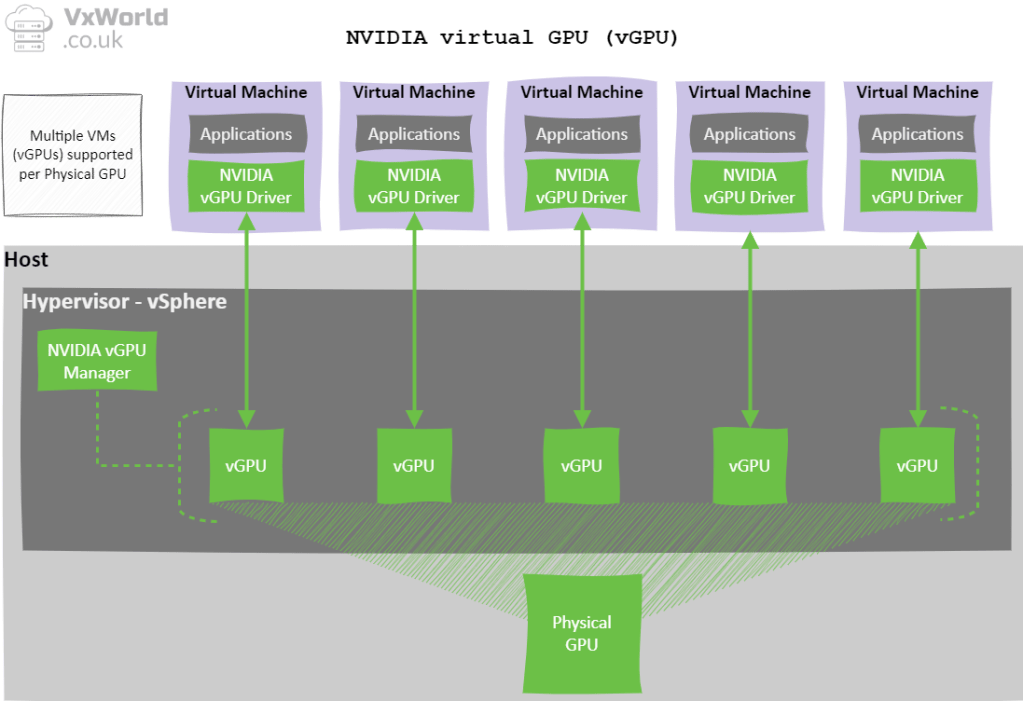
NVIDIA Virtual GPU (vGPU) software allows a single physical GPU to be partitioned into multiple virtual GPUs. This means multiple virtual machines (VMs) can share GPU resources effectively — giving platforms like VMware vSphere near-native graphics and compute performance, all while maintaining flexibility and manageability.
You get enterprise-class GPU acceleration with the ability to dynamically allocate, move, and scale workloads — ideal for both homelabs and production environments.
For a deeper dive into the basics and how to get started, check out my post: 👉 Introduction into NVIDIA vGPU
What’s New in NVIDIA vGPU 19.0
NVIDIA has just released vGPU 19.0, and this is not just a routine update — it’s a major release packed with meaningful enhancements. Whether you’re running a production environment or pushing the limits in a homelab, vGPU 19.0 brings serious upgrades: graphics support for MIG, time-sliced sharing, a brand-new 3 GB B-series profile, and full support for Windows 11 VMs with VBS.
If you’re working with the latest Blackwell or Ada Lovelace GPUs, or looking to improve density, flexibility, and security in your virtualised environment — this release is well worth your attention.
Here’s what’s new: (Source: NVIDIA vGPU 19.0 Release Notes)
1. Graphics Support for MIG‑Backed vGPUs
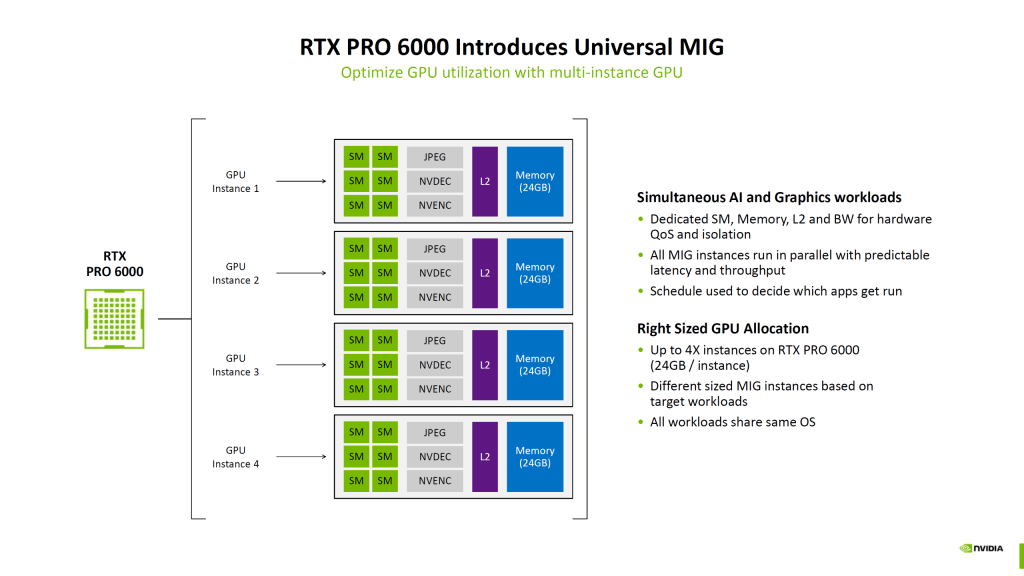
One of the biggest highlights in vGPU 19.0 is support for graphics workloads on MIG-backed vGPUs. Previously, MIG (Multi-Instance GPU) was primarily focused on compute. Now, we can carve up a single physical GPU into fully isolated virtual GPUs for graphics acceleration — a massive leap in flexibility and resource efficiency.
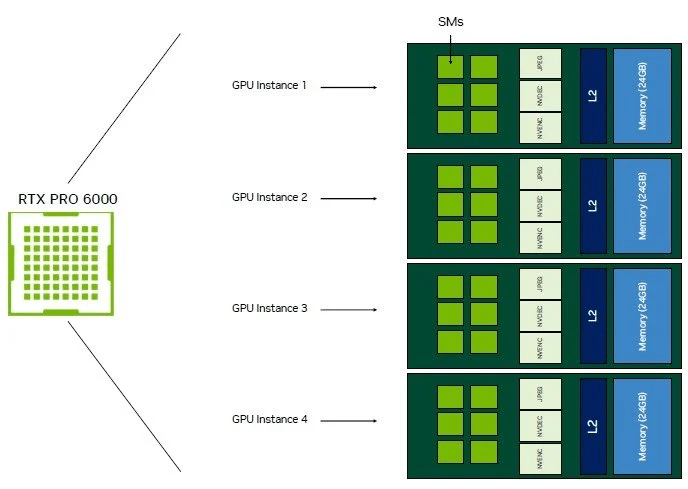
A flagship example of how this shines is the NVIDIA RTX PRO 6000 Server Edition:
- Built on the Blackwell architecture, this GPU boasts 96 GB of GDDR7 memory, making it a powerhouse for both AI and graphics-intensive workloads.
- It supports MIG, allowing the GPU to be sliced into up to four independent instances, each with 24 GB of memory and dedicated resources.
- With vGPU 19.0, these instances can now be assigned to VMs with graphics workloads — for example, high-end 3D modelling, visualisation, or media rendering — all running on separate VMs with guaranteed performance isolation.
This is huge for virtual environments where you need to run multiple users or workloads on a single GPU without risking noisy-neighbour scenarios. It also helps reduce costs, as you’re no longer forced to dedicate a whole GPU to one user or workload.
2. Time-Sliced MIG-Backed vGPUs
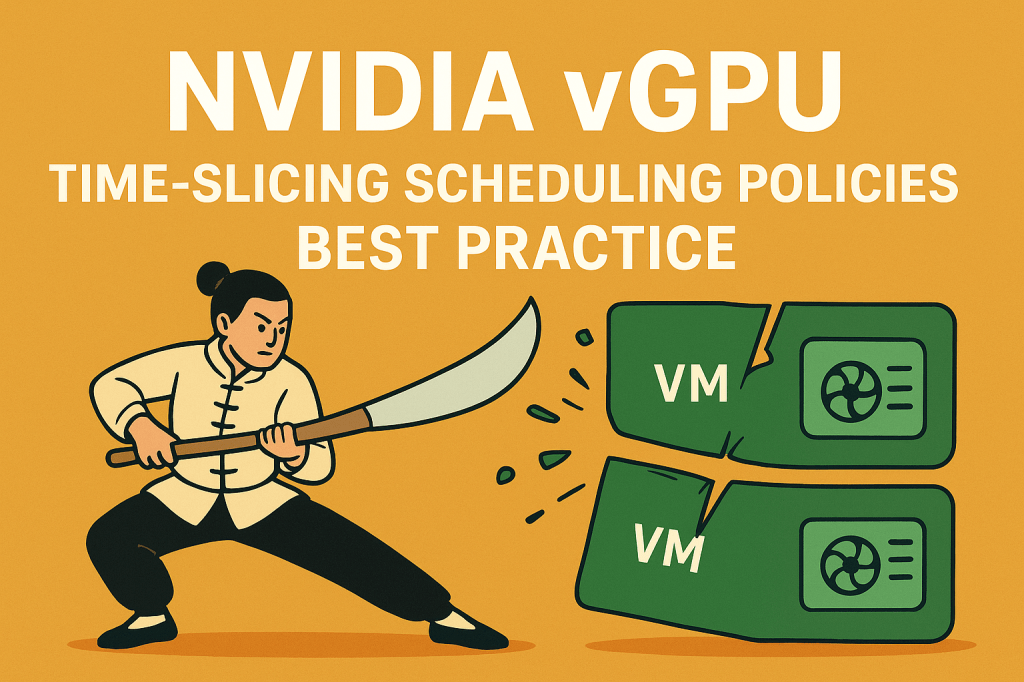
In addition to MIG for graphics, vGPU 19.0 introduces support for time-slicing within a MIG instance. That means you can now share a single MIG partition between multiple vGPUs using time-slicing — essentially enabling dynamic sharing of GPU time within each isolated slice.
3. New 3 GB B-Series vGPU Profiles
NVIDIA has introduced a new 3 GB framebuffer B-series profile, providing greater flexibility when assigning framebuffer to vGPUs. These profiles are supported on GPUs based on the Ada Lovelace and Blackwell architectures.
This is ideal for users or workloads that need just a bit more than what was previously available — offering a 50% increase over the old 2 GB limit. For those using vPC licences, this means you can now allocate 3 GB to your users without needing to upgrade to a vWS licence — perfect for light 3D work, media-heavy desktops, or demanding web apps.
A small but impactful change that will help improve density and user experience in many environments.
4. Support for Windows 11 with VBS (Virtualisation-Based Security)
This feature is currently only supported in Hyper-V, but hopefully VMware will enable it soon. Thanks to Simon for pointing this out.
This one’s HUGE — especially for enterprise deployments.
With vGPU 19.0, Windows 11 guest VMs with Virtualisation-Based Security (VBS) are now officially supported. That means you can run GPU-accelerated desktops and workloads with full VBS features enabled, including Credential Guard and Hypervisor-Protected Code Integrity (HVCI).
Why does this matter? Previously, enabling these security features often meant sacrificing GPU functionality — a compromise many environments didn’t want to make. Now, you don’t have to choose between performance and protection.
This is a major milestone for organisations running secure desktop environments, VDI, or zero-trust deployments — where compliance, data protection, and workload integrity are top priorities.
NVIDIA vGPU 19.0 makes it possible to run modern, secure Windows 11 VMs with full GPU acceleration — no workarounds, no trade-offs.
Final Thoughts
vGPU 19.0 delivers some significant advancements! By enabling MIG-backed graphics vGPUs, introducing an additional larger B profile, and supporting secure Windows environments, NVIDIA is clearly focused on real-world virtualisation needs — both in the datacentre and in labs like ours.


















 VxWorld
Leave a reply to Edd Cancel reply